
Accessing the Control By Web
Step 1
If you need to turn on the strobe or restart your camera, you’ll do that through the Control-by-Web page.
To get started, open a web browser such as Google Chrome or Microsoft Edge and enter the following address:
https://[your public IP address]:85

Step 2
After entering the web address, your address should look similar to this.

Step 3
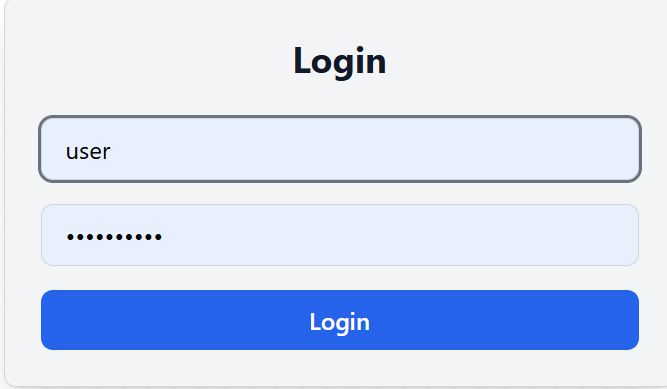
When prompted to log in, use the following information:
Username: user
Password: Covert1234 (capital C)
After logging in, you’ll be able to safely restart the router and control the system fan from this page.

Step 4
When prompted to log in, use the following information:
Username: user
Password: Covert1234 (capital C)
After logging in, you’ll be able to safely restart the router and control the system fan from this page.
Step 5
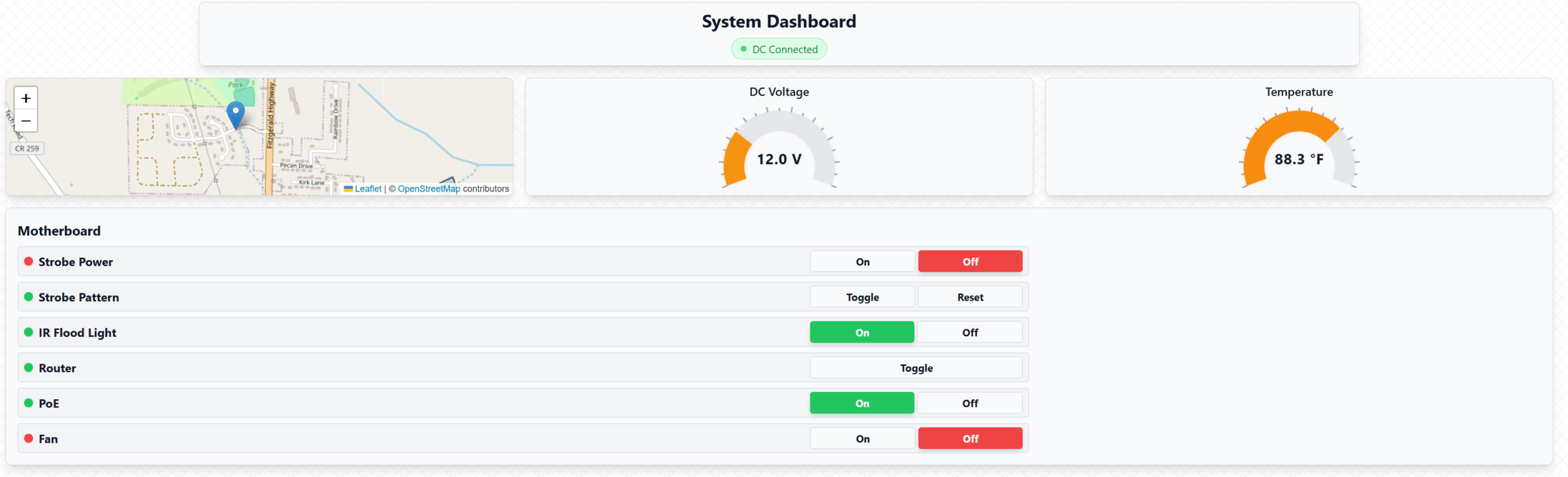
From this page, you can turn the camera on or off and control available system lighting.
Depending on your system, you may see controls for a strobe light, an IR (infrared) light, or neither.
Not all systems support every option, so it’s normal if some controls do not appear.
These images are used as reference depending on the version your system.

Step 6
This page also shows basic system information, such as the system temperature and the voltage being supplied to the system.
This information is provided for reference and monitoring purposes only.

Questions or need help?
If you have any questions or concerns, please contact our support team:
Email: support@valorence.com
Phone: 435-565-6018
